chaturji comes with claude 3, opus, haiku, sonnet, gpt4, gemini prochaturji: claude 3, opus, haiku, sonnet, gpt4, gemini pro, early access

A Collaborative AI Tool for Teams

Put AI to work
across your company

Outperform organisations 10X your size with the power of AI in every employee’s hands.

Up to 10X lower cost than ChatGPT
Book a free demo

How teams use Chaturji

Your sales team works in a shared room with past notes, case studies, and product data. Chaturji creates a canvas with gaps, a proposal outline, and estimates. Your finance and tech team add comments, and you edit and send the final proposal.


Man drawing a sales chart on a whiteboard with an AI sales plan and quick response interface for team collaboration on Chaturji
white check mark

Review contracts in minutes, not hours

Legal and sales share a room with your template contracts. Drop in a new agreement, and Chaturji flags the issues in a canvas. Legal marks up changes, sales add their concerns. Both teams see updates as they happen.


Woman reviewing contract on laptop using an AI tool for deeper analysis, issue detection, and team collaboration
white check mark

Make sense of finance reports

Finance works in a room with reports and budgets. Upload new data and ask Chaturji what changed. It creates analysis canvases. Your team adds notes explaining the why. Leadership sees the whole story, not just numbers.


Man analyzing a finance report on a laptop using an AI workspace for team collaboration, research, and insights

Chaturji at a glance

Magic wand icon with sparkles representing a tool or effect.

Multiple AIs

ChatGPT, Claude, Gemini, Grok, and more. One interface, one subscription.

Magic wand icon with sparkles on a rounded square gradient background.

Up to 10X more affordable

One account for your whole company. No per-user  fees.

Simple icon of a house with a door and small window on a white rounded square background.

Rooms: A shared space

Team workspaces connected to your company knowledge for customized answers.

App grid icon with four rounded square shapes inside a rounded square border.

Business ready
templates

For core tasks like sales, proposals, and planning. Teams can start with AI right away.

Simple line icon of a closed padlock on a rounded square background with a blue to green gradient.

Create knowledge

Save chats as shared documents. Edit them with AI.

Shield icon with a keyhole in the center, symbolizing security or protection.

Private & secure

Encrypted storage, private chats, and zero AI training on your content.

How Chaturji works

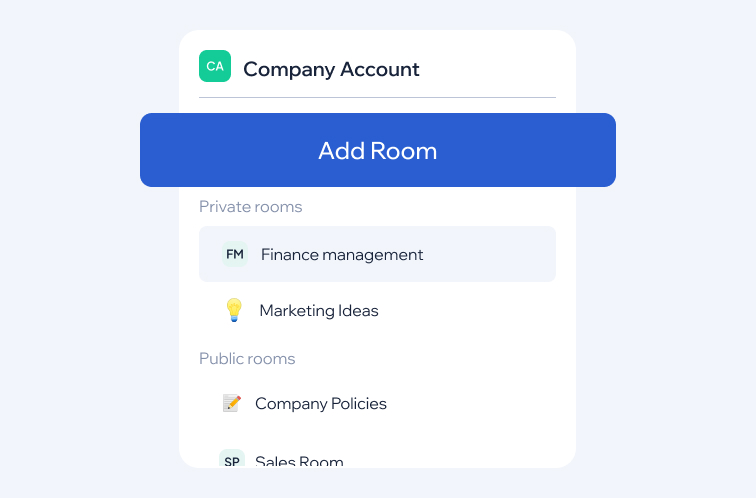
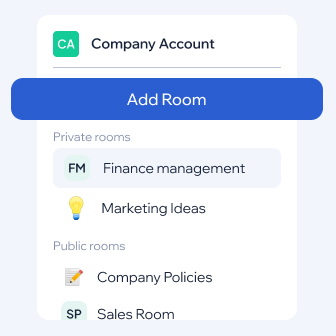
Create a Chaturji Room for your dept or project. Invite your team.

Company Account interface with Add Room button, showing private rooms Finance management and Marketing Ideas, and public rooms Company Policies and Sales Room in Chaturji.
User interface showing a Company Account with options to add rooms including private rooms like Finance management and Marketing Ideas, and public rooms like Company Policies and Sales Room in Chaturji
white check mark

2. Teach the AI your knowledge

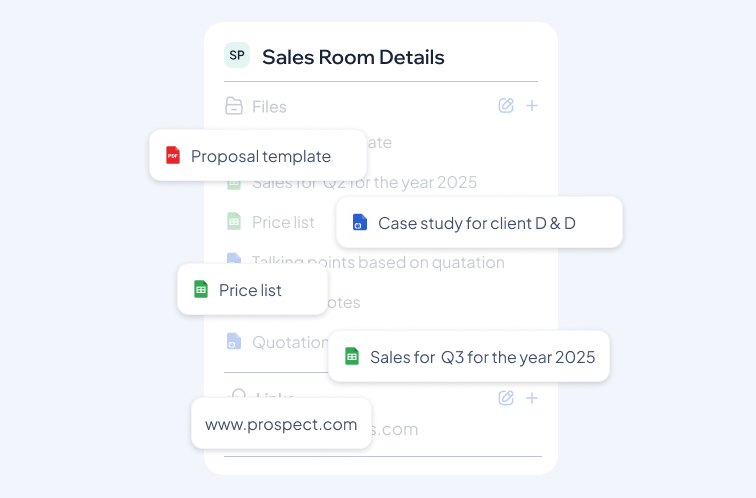
Upload files, links, and presentations. The AI learns from this context.

Sales room dashboard in Chaturji organizing proposals, case studies, and documents for seamless team collaboration
white check mark

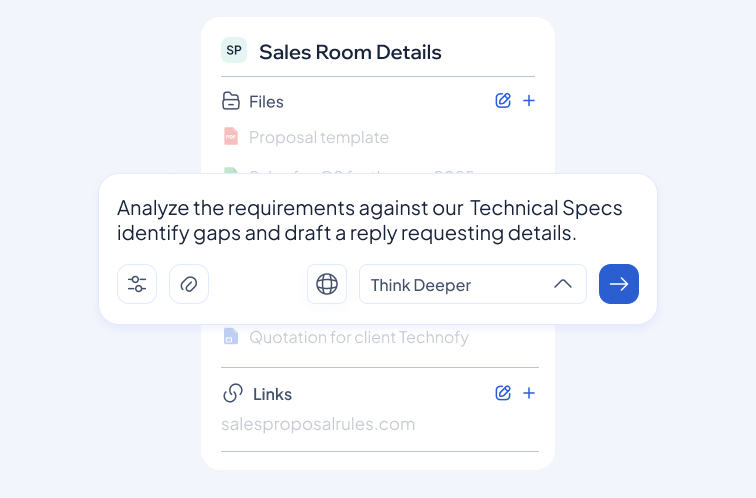
3. Ask questions (or use prepackaged prompts)

Finance works in a room with reports and budgets. Upload new data and ask Chaturji what changed. It creates analysis canvases. Your team adds notes explaining the why. Leadership sees the whole story, not just numbers.


User interface showing Sales Room Details with files and links, featuring a text input box containing the prompt to analyze technical specs and draft a reply, accompanied by option buttons and a send arrow in Chaturji.
User interface showing a quick response input box with text about analyzing requirements and drafting a reply, titled Sales Room Details in Chaturji
white check mark

4. Save and share the output

Turn answers into an editable document and share with your team
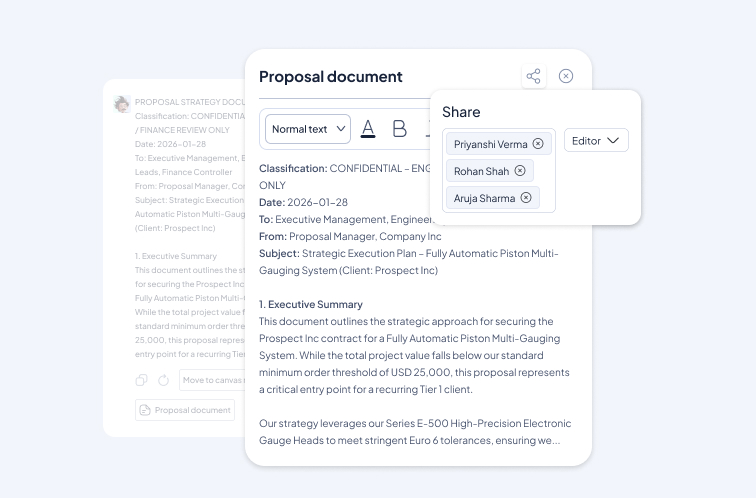
Screenshot of a proposal document editor with text about a strategic execution plan for a piston multi-gauging system and a share menu showing multiple recipients collaborating in Chaturji.
Chaturji proposal editor with AI writing tools, comments, and collaboration features for team document drafting and improvement.
white check mark

5. Edit together, collaborate in real time

Edit with your team, use Magic Write to refine your ideas, and leave comments. Save as Word or PDF files.
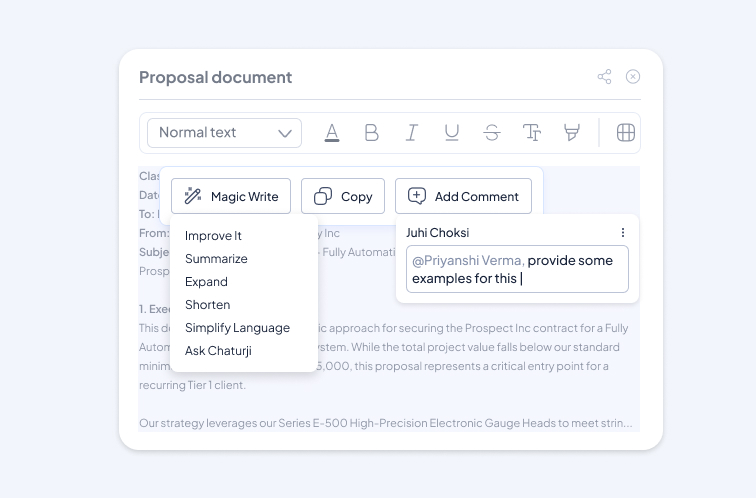
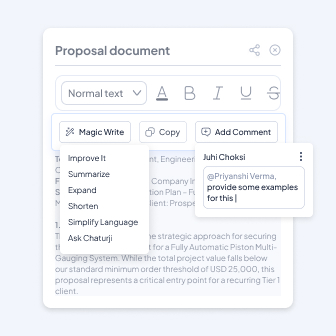
Chaturji proposal editor with AI writing tools, comments, and collaboration features for team document drafting and improvement.

Don’t take our word for it, here’s what our clients say

quote mark

With a 25-person team spread across four continents and working remotely, collaboration is the lifeblood of our success at Ship2MyID. Chaturji has become indispensable. It unites our diverse teams, from image generation to crafting consistent messaging, engaging 16 countries, in their own language, multilingual customer support and crafting localized sales pitches. The ability to tap into a variety of AI tools, all behind the scenes, is truly impressive. Great results, and at a price that makes sense for a global team.

santosh gopal, CEO Ship2MyiD, & Chair, RMIG, UPU (United Nations body for Global Posts), Chaturji

Santosh Gopal

CEO Ship2MyID, & Chair, RMIG, UPU (United Nations body for Global Posts)

quote mark

Chaturji is simple to use and has a user-friendly interface, particularly for Doctors like me who are not as tech savvy as other professionals. Particular mention is the personalized help and technical guidance offered by Mr. Chopdawala who has helped us in the past in our mission towards development of Soft skills and wellbeing for young medical professionals. We are in the process of registering India's first NPO exclusively for this mission and look forward to partnering with Chaturji for a uniquely trained product specific to needs of medical professionals!

Dr. Murtuza Ghiya

Dr. Murtuza Ghiya

Associate Professor of Emergency Medicine Regional Ambassador (Asia) - WYSE, UN affiliated Governing Council Member ACEE - India Founder Member, Codeblu Holistic Wellness Solutions

quote mark

I'm thrilled to have discovered Chaturji AI, a wonderful app I've used for 4-5 days, including its upgraded version. It's been instrumental in helping me prepare an upcoming presentation and course, providing excellent and easy-to-understand content. The app not only answers questions but also suggests related ones, making teaching much simpler. The content is authentic and verified with my resources. I highly recommend Chaturj AI to everyone. Thank you for introducing me to this app.

Dr. Yusuf Chunawala

Dr. Yusuf Chunawala

Professor & HOD of Dept of Pediatric Dentistry MA Rangoonwala Dental College Pune

quote mark

I am pleased to review the app ‘Chaturji’ which is a refreshing one in the recent glut of AI assistance! All of us have heard of ChatGPT, Grok, DeepSeek and so on... However Chaturji combines the processing power of many and gives rational decent responses to a variety of questions and tasks! It saves the previous stuff and asks relevant prompts. I would recommend this app strongly!

Dr. Kiran Kharat

Dr. Kiran Kharat

Senior Consultant Orthopaedic surgeon of Joint Replacement Expert

Start a free trialBook a free demo

Frequently asked questions

Chaturji is an AI collaboration platform built for small and midsize businesses. Unlike standalone AI chatbots, Chaturji lets your entire team, including sales, marketing, finance, and operations, work together with AI in shared workspaces called Rooms. Everyone has access to the same context, files, and insights, while the AI works from your business context and delivers responses specific to your projects.

Think of it as your team’s AI command center where projects stay organized, knowledge is shared, and everyone gets smarter answers because the AI understands your work.

white check mark

How is Chaturji different from ChatGPT?

Chaturji is purpose-built for team collaboration and businesses, setting it apart from tools like ChatGPT:

  1. Team-centric design
    • Shared Rooms for collaborative AI workspaces
    • Centralized knowledge base for the entire account
    • Collaborative Canvases for real-time document editing
  2. Multi-AI intelligence
    • Access to top AI models like ChatGPT, Claude, and Gemini
    • Automatically routes tasks to the most suitable AI
    • No single-provider lock-in
  3. Flexible and transparent pricing 
    • Shared credit pool for your entire team, reducing wastage 
    • Add teammates without per-seat fees, up to your plan’s user limit 
    • Top up anytime for periods of intensive use 
  4. Control
    • Admin controls, team management, and usage analytics
    • Granular security permissions for data protection
  5. Tailored for businesses
    • Room templates for common business processes
    • Optimized for complex projects, documents and data analysis
    • Confidential work that needs controlled access 

Chaturji combines the power of conversational AI with collaborative features, multi-AI access, and admin controls to help teams work smarter, together.

white check mark

Who should use Chaturji?

Chaturji is perfect for any team or organization ready to move beyond individual AI use:

For Teams: Collaborate in shared Rooms with AI that remembers your project context. No more re-uploading files or re-explaining goals. Everyone stays aligned, duplicate work drops, and repeat tasks run the same way every time. 

For growing businesses : Centralize AI usage with admin controls, shared knowledge bases, and cost management. Pay one flat monthly fee, not per person, maintain data security, and get full visibility into how AI is being used across your organization.


Ideal if you work with:

  • Complex documents and reports
  • Data analysis and research
  • Multi-stakeholder projects
  • Confidential work that needs controlled access 

Great for Marketing, HR, Legal, Operations, Finance, Product teams, and beyond.

white check mark

Is Chaturji free?

You can try Chaturji free for 14 days, with no credit card needed. The trial includes 1,000 credits and access to leading AI models, including ChatGPT, Claude and Gemini. When it ends, choose the plan that fits your team’s size and usage.

white check mark

What is a "Room"?

Rooms are smart AI workspaces for your projects, teams, or initiatives. Think of them as folders that remember everything.

 Each Room contains:

  • All your conversations with AI
  • Files, links, and documents
  • Editable documents (Canvases)
  • Custom AI instructions for how it should respond
  • Step-by-step workflows that break down complex processes into actionable instructions, ensuring consistency and efficiency in repetitive tasks (Skills)

Why Rooms matter: Everything you add becomes context that the AI remembers. Start a new chat in a Room, and the AI is already briefed on your project. No need to re-upload files or re-explain your goals.

Who can see a Room? You choose when you create it: 

  • Private: Only invited members can access. Perfect for sensitive projects, HR matters, or confidential work.
  • Anyone in account: Everyone in your account can see it. Best for shared resources like brand guidelines, FAQs or internal policies. 

Every account also starts with two Rooms: My Room, which only you can see, and the Common Room, which everyone in your account can see. Colleagues you invite join the Common Room automatically. 

Admin Control: Admins manage who can access each Room, so data stays secure and in the right hands.

white check mark

What is a "Canvas"?

Canvas turns any AI reply into structured, a editable document that you can refine with AI, edit together with your team and share when they’re ready.

With Canvas, you can:

  • Add headings, sections, and formatting to create structured documents
  • Highlight text and ask the AI to refine, expand, or rewrite specific parts with Magic Write
  • Collaborate with teammates in real-time, with live co-editing and comments
  • Export your finished work to PDF, Word or Markdown, or share a link

The result is a finished report, brief or plan, built in one place from first draft to export, with no copying text between tools. 

white check mark

Is my data secure?

Yes. Security and privacy are built into everything we do.

How we protect your data:

  • Encrypted storage - Data is encrypted at rest and in transit
  • No AI training - Your questions or data are processed solely to generate responses and are not used for training AI models.
  • Private by default - Chats and Canvases are private unless you explicitly share them
  • Minimal data sharing - Only necessary information is sent to AI models
  • Admin controls - Manage permissions and access across your organization
  • High-grade security - Secure authentication and access controls

You stay in control: You decide what to share, who can access it, and how your data is used. Always.

white check mark

How does pricing work?

Chaturji charges a flat monthly fee per plan, not per person. 

  • Shared credits: Everyone on the account draws from the same monthly balance, so credits don’t go unused on one person while another runs out. 
  • Plans: Choose by team size and usage. Monthly credits refresh each billing cycle and don’t carry over. See current plans, user limits and credits on the pricing page. 
  • Control: Admins can set credit limits per person, get an alert before credits run out, and see usage by person and type. 
  • Top-ups: If your team uses up its monthly credits, you can buy a top-up pack at any time without changing your base plan. Top-up credits carry over when your plan renews and stay valid for 60 days from purchase.
white check mark

How do I get started? Is there a trial?

Getting started is instant and completely free to try.

Your free trial includes:

  • 1,000 free credits - Enough to thoroughly test Rooms, Canvases, and multi-AI access
  • No credit card required - Start immediately with just an email
  • Full feature access - Try every top AI model (ChatGPT, Claude, Gemini, Grok) right away
  • 14 days to explore - Take your time to see if Chaturji fits your workflow

Sign up with:

  • Google account
  • Microsoft account
  • Email address

What happens after the trial? If you love it, upgrade to a team plan without losing any of your work. Everything you created during the trial carries over seamlessly.

Ready to start? Sign up now and let your team collaborate and grow with AI like never before.

chaturji logo

Experience advanced AI at unbeatable value with Chaturji, significantly more affordable than ChatGPT

Let's get Started

Subscribe to our newsletter

Thank you for subscribing.

©2026 Ignite Solutions India Pvt. Ltd